Ultimate Blueprint Exporter
Export Blueprints to AI-Readable Text
Lightning-fast, one-click export of Blueprint graphs to clean, LLM-optimized text format. Perfect for AI-assisted development, documentation, and code review.
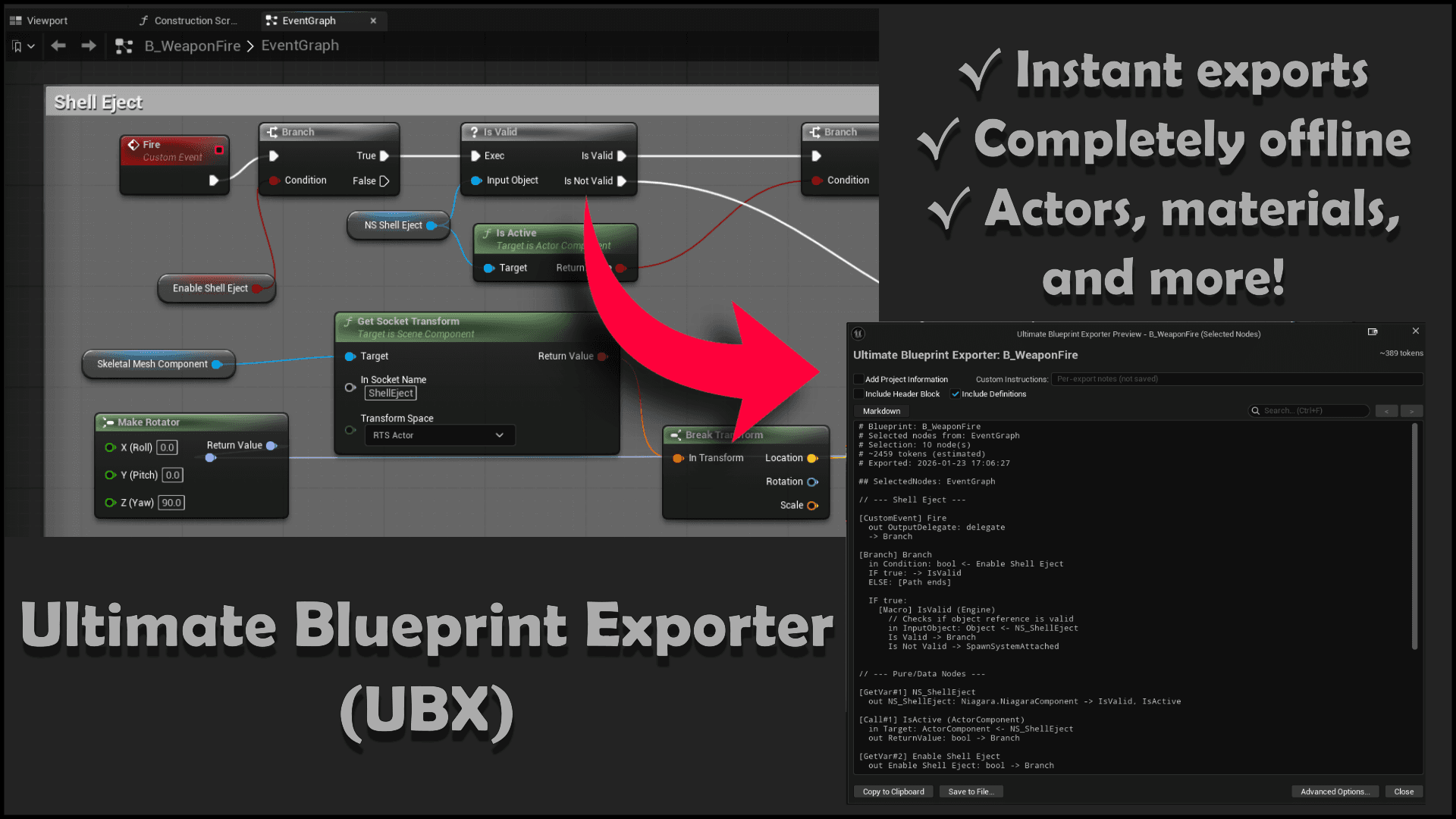
Export Examples
See how UBX exports different asset types. Click the arrows or dots to browse examples.
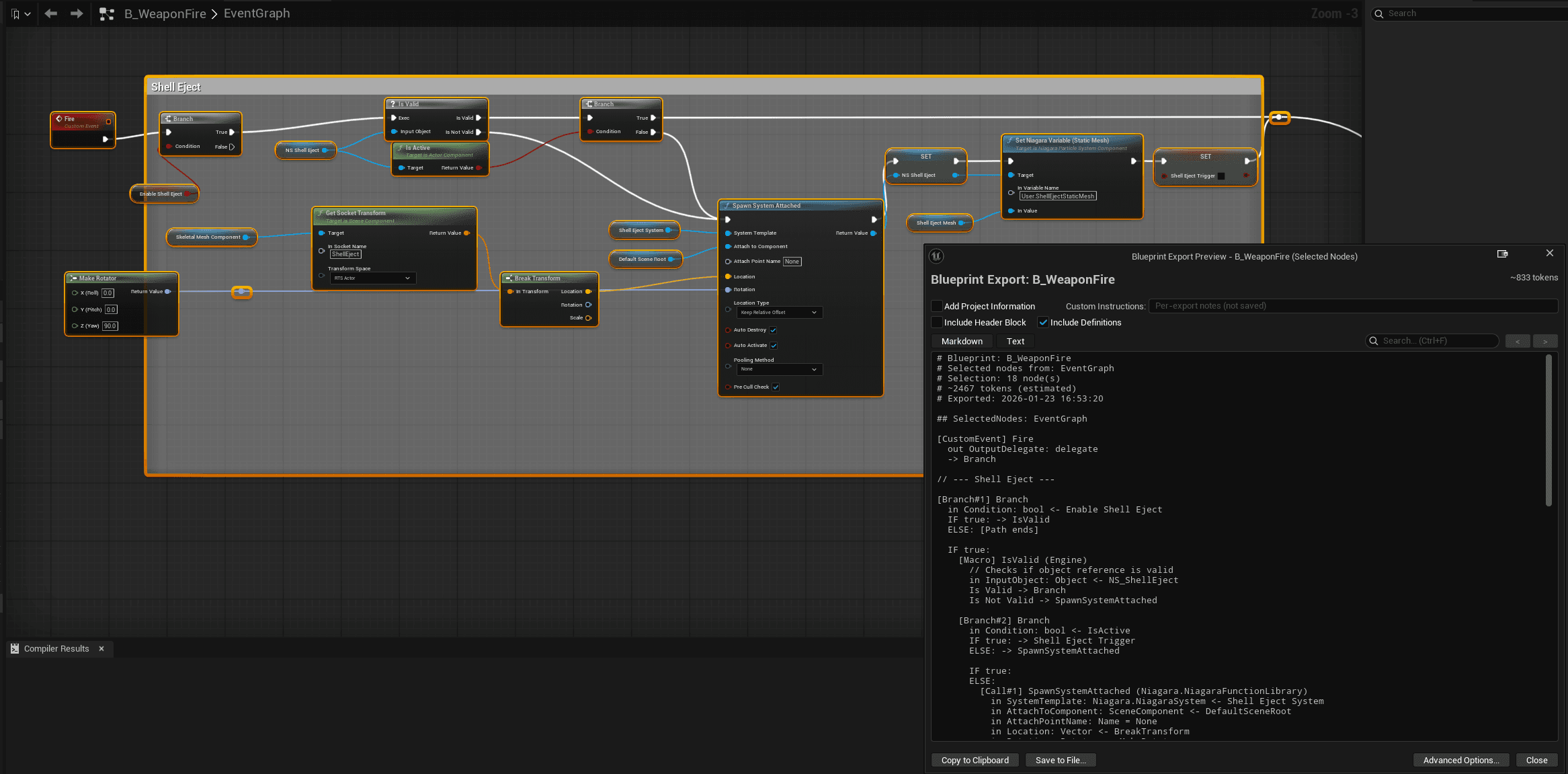
Actor Export
Features
Multi-Asset Support
Export Blueprints, Animation Blueprints, Widget Blueprints, Materials, and State Trees from one unified interface.
Preview Window
Edit, review, and customize your exports before copying. Add project context, toggle options, and refine output.
Live Token Count
Real-time token estimation helps you manage LLM context windows. Know exactly how much budget each export uses.
Consistent Results
Smart traversal ensures reliable, diff-friendly exports. Same Blueprint always produces the same output.
Same-BP Expansion
Functions and macros defined within the active Blueprint expand inline. External calls are clearly marked.
Fully Offline
No network calls, no data collection, no telemetry. Your code stays on your machine - always.
Output Format
Clean, structured text optimized for LLM consumption. See examples from different asset types.
# Blueprint: B_WeaponFire
# Selected nodes from: EventGraph
# Selection: 30 node(s)
# ~1041 tokens (estimated)

## SelectedNodes: EventGraph

// --- Shell Eject ---

[CustomEvent] Fire
  out OutputDelegate: delegate
  -> Branch

[Branch#1] Branch
  in Condition: bool <- Enable Shell Eject
  IF true: -> IsValid
  ELSE: [Path ends]

  IF true:
    [Macro] IsValid (Engine)
      // Checks if object reference is valid
      in InputObject: Object <- NS_ShellEject
      Is Valid -> Branch
      Is Not Valid -> SpawnSystemAttached

    [Branch#2] Branch
      in Condition: bool <- IsActive
      IF true: -> Shell Eject Trigger
      ELSE: -> SpawnSystemAttached

[Call#2] SpawnSystemAttached (Niagara.NiagaraFunctionLibrary)
  in SystemTemplate: Niagara.NiagaraSystem <- Shell Eject System
  in AttachToComponent: SceneComponent <- DefaultSceneRoot
  in Location: Vector <- BreakTransform
  in Rotation: Rotator <- MakeRotator
  out ReturnValue: Niagara.NiagaraComponent -> NS_ShellEject
Ready to streamline your AI workflow?
Ultimate Blueprint Exporter is coming soon to the Fab Marketplace.